Configura tu Nombre y Añade Contactos
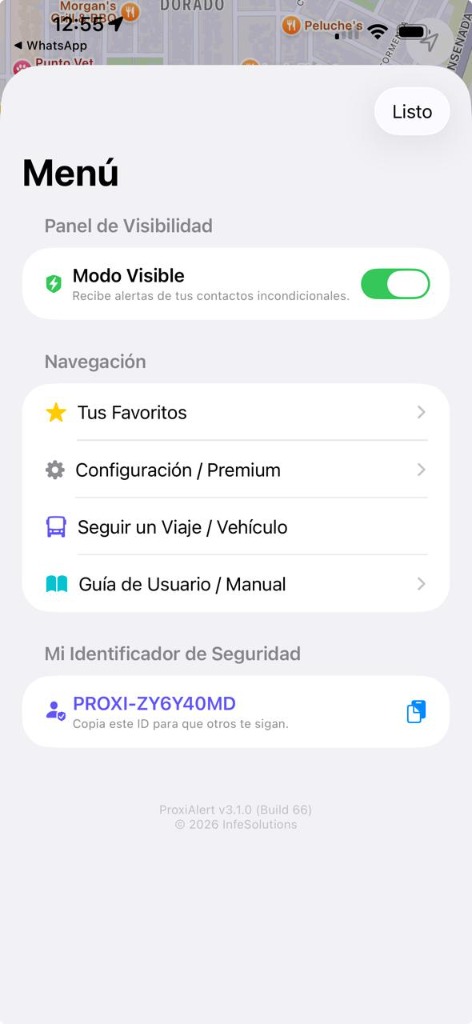
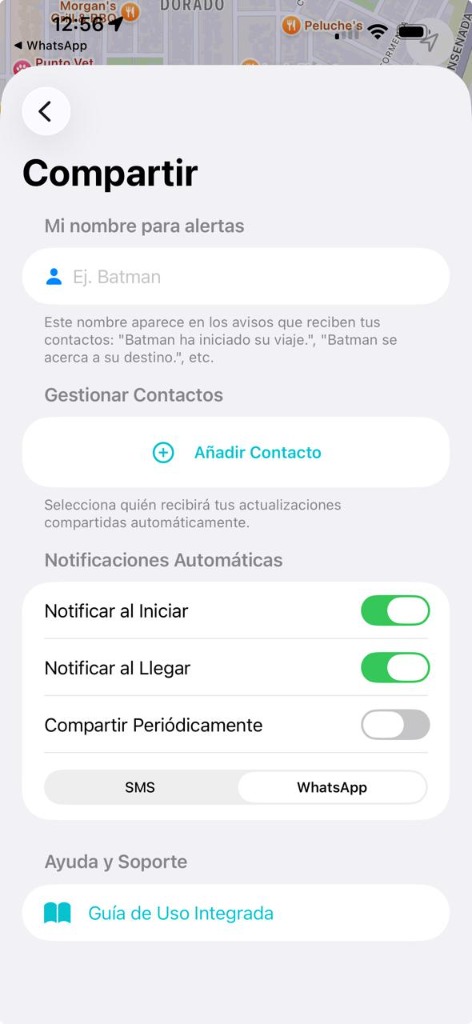
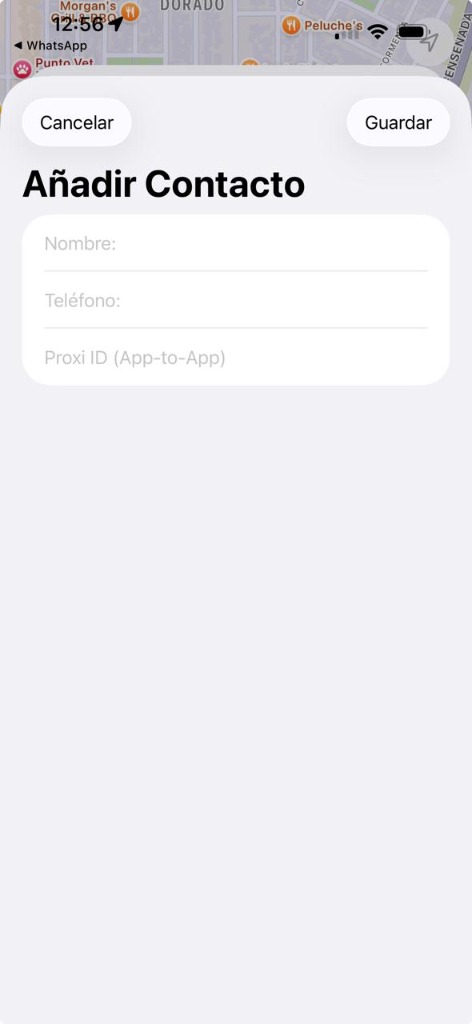
En la pantalla 'Compartir', ingresa tu nombre de alerta (ej: Batman) para que tus contactos sepan quién viaja. Luego, toca en '+ Añadir Contacto' para registrar el Nombre, Teléfono o el Proxi ID (App-to-App) de tus familiares (puedes copiar su ID desde la sección 'Mi Identificador de Seguridad' en su menú principal, por ejemplo: PROXI-ZY6Y40MD).
Configura tus Alertas Automáticas
Activa los interruptores de 'Notificar al Iniciar', 'Notificar al Llegar' o 'Compartir Periódicamente' según tus necesidades. Elige el canal de envío ideal: SMS o WhatsApp para que reciban tus estados directamente.
Inicia tu Viaje o Activa el Panel de Visibilidad
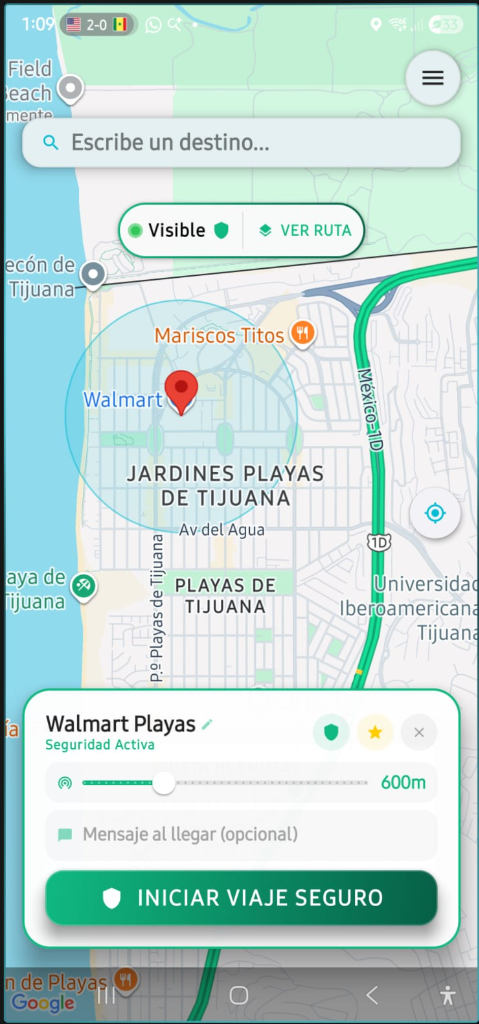
Puedes activar el 'Modo Visible' en tu Menú para que tus contactos incondicionales puedan monitorear tu ubicación pasivamente. O si prefieres un trayecto específico, define tu destino en el mapa, ajusta tu radio de aviso (ej: 300 metros) e inicia el seguimiento.
Tus datos de ubicación están cifrados. Nadie más que tus contactos elegidos podrá ver tu posición en el mapa de forma segura.
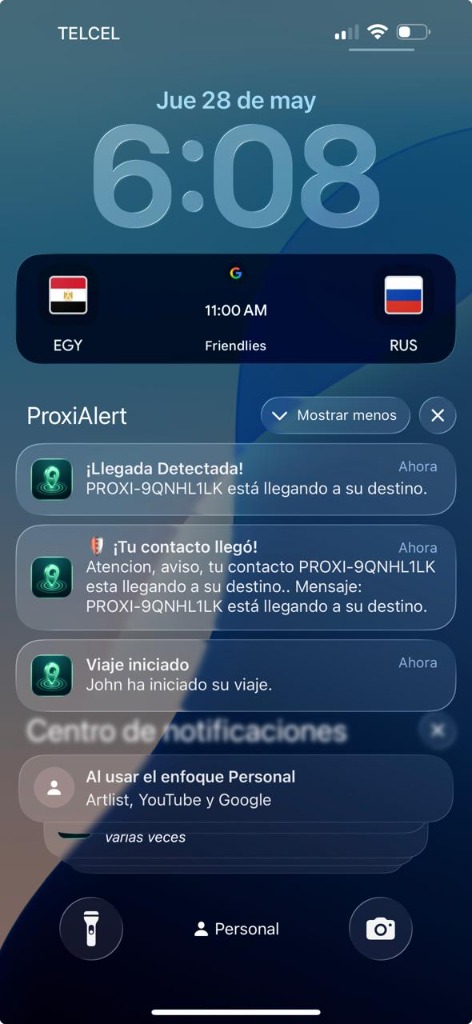
No necesitas estar mirando el mapa todo el tiempo. Mantén la app abierta de fondo. Cuando tu familiar inicie, se aproxime o llegue a su destino, recibirás notificaciones instantáneas de Safe Arrival en tu celular (ej: '¡Llegada Detectada! PROXI-9QNHL1LK está llegando a su destino') y tu dispositivo hará sonar una alarma sonora exclusiva.